본 프로젝트는 React, Express, MongoDB를 사용한 블로그 웹 애플리케이션입니다.
🪄 백엔드 배포
Cloudtype 배포
1️⃣ 링크 접속
https://app.cloudtype.io/
app.cloudtype.io
2️⃣ GitHub 저장소로 배포

3️⃣ 언어/프레임웤, 애플리케이션 설정, 버전, 환경 변수, 포트 번호 입력

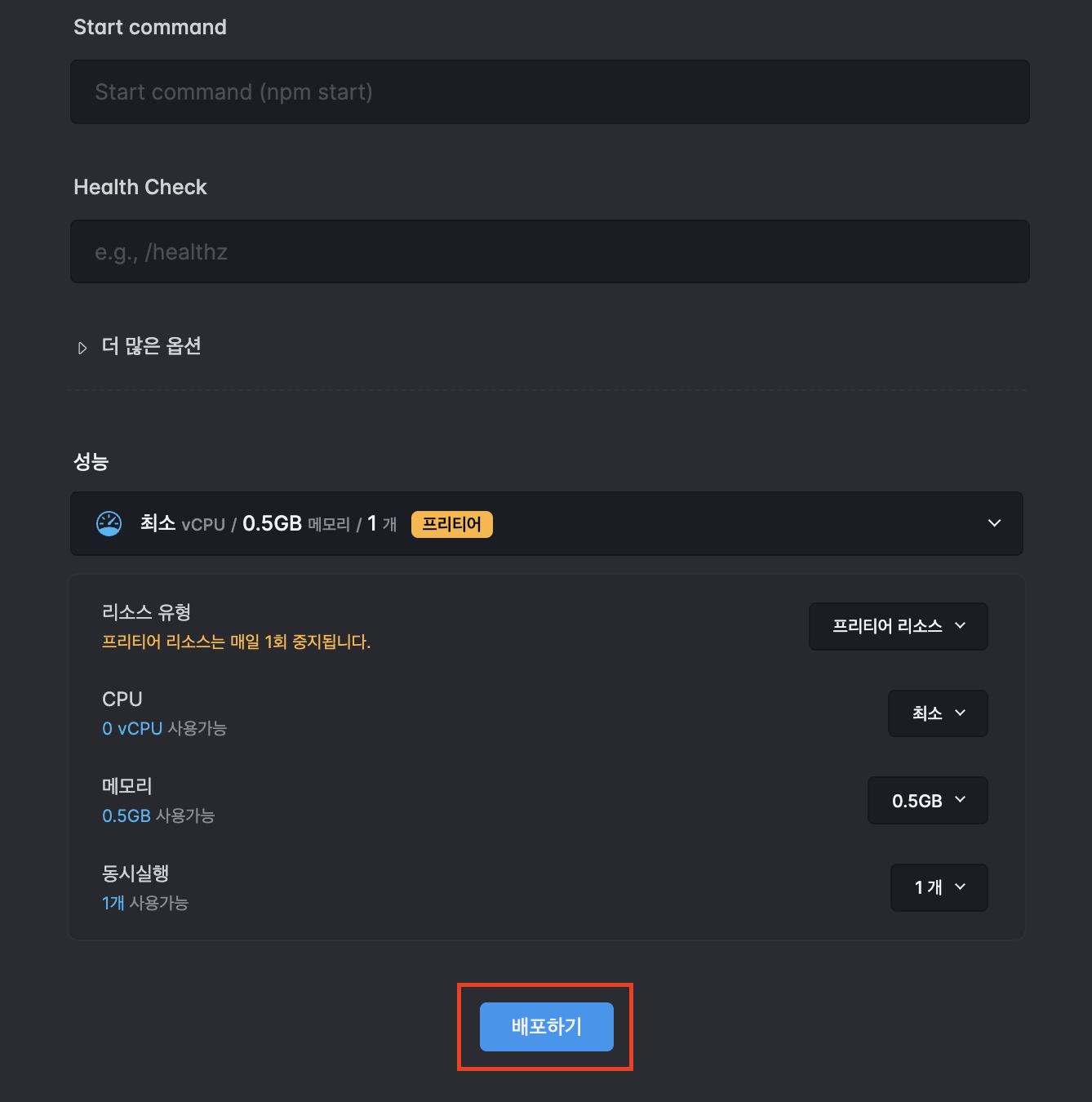
4️⃣ 프리티어로 배포
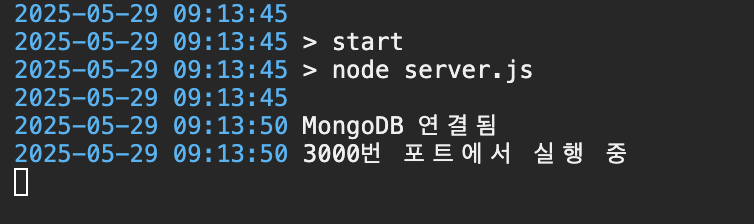
5️⃣ 배포 정상 동작 확인
Cloudtype 로그&터미널과 배포한 주소 접속하여 확인

MongoDB IP 주소 설정
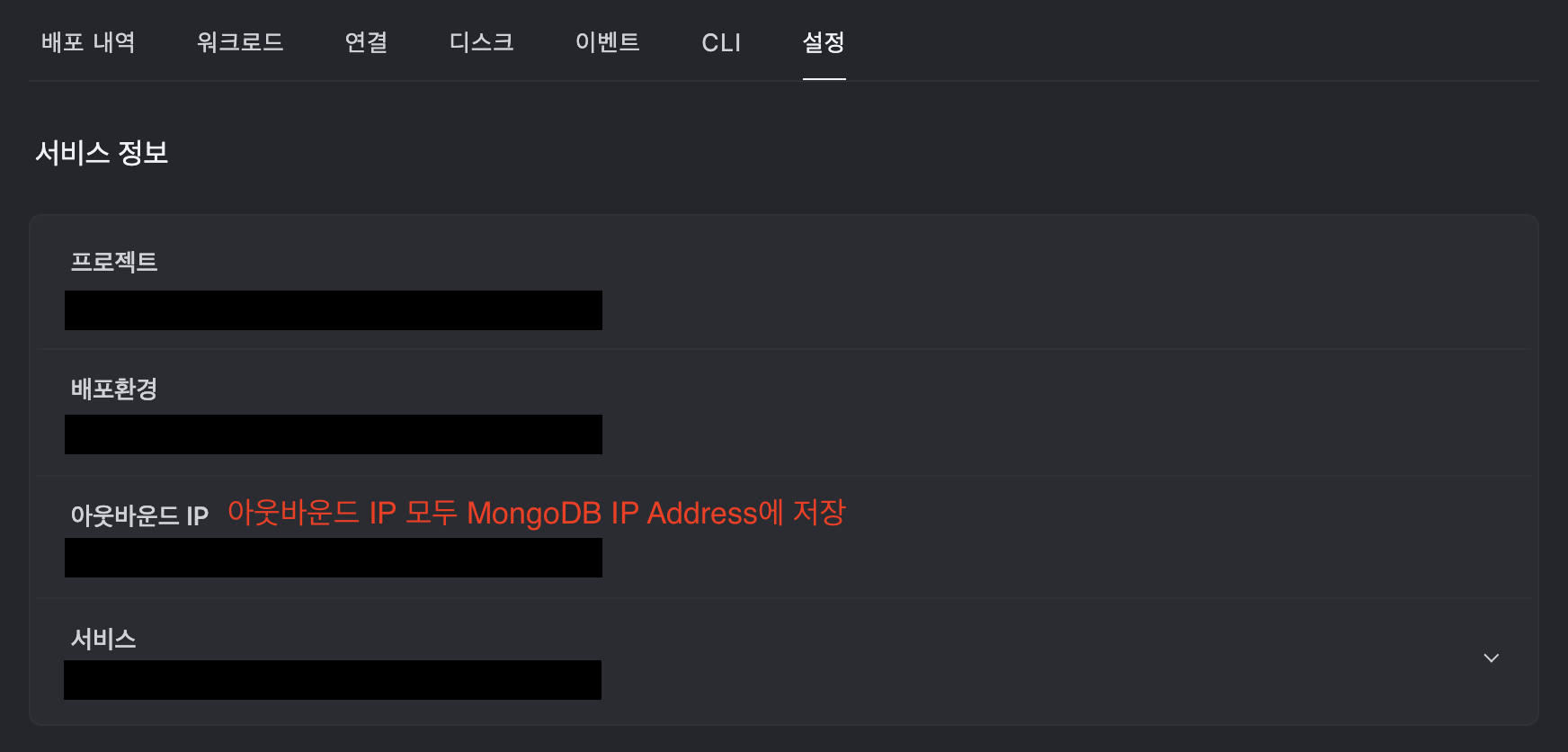
1️⃣ Cloudtype [설정] 탭에서 아웃바운드 IP 확인
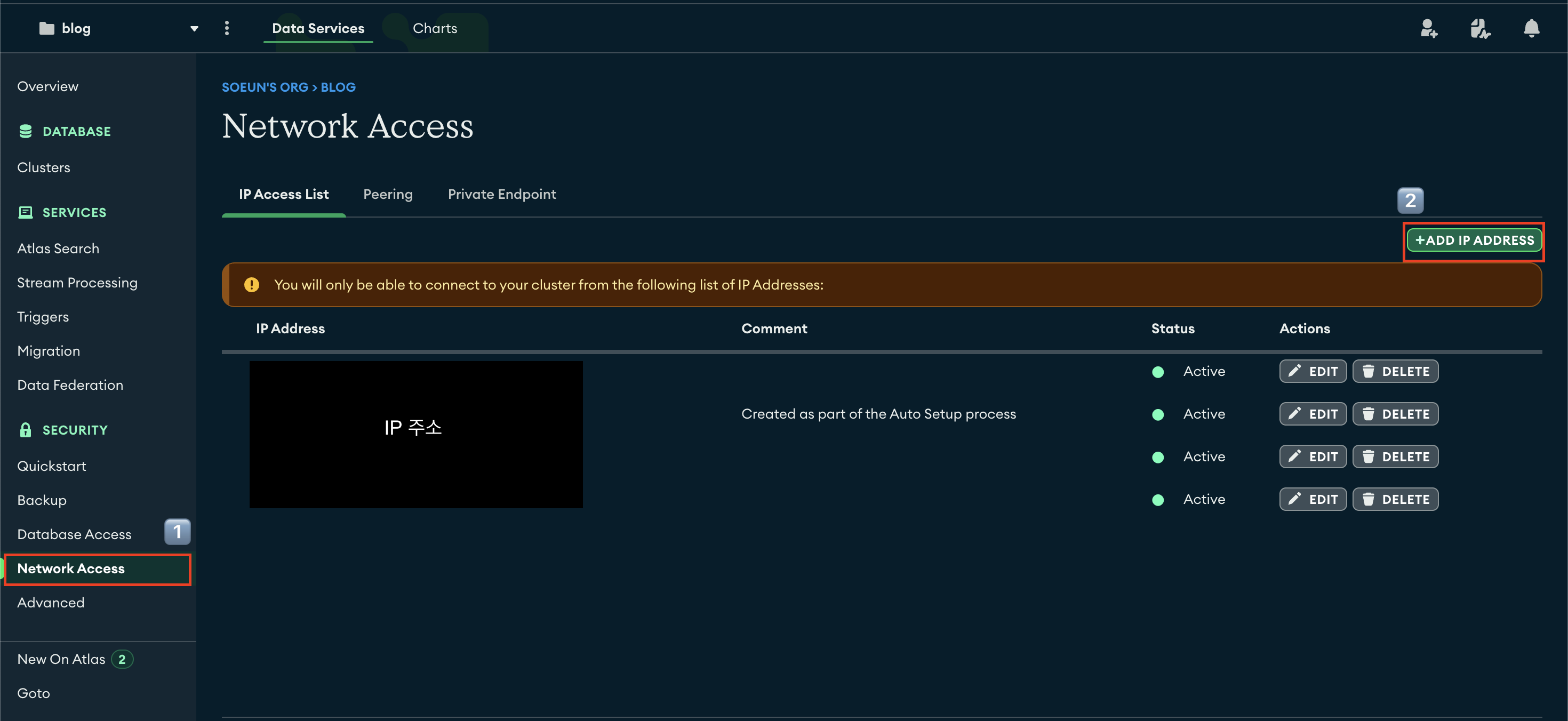
2️⃣ MongoDB의 [Network Access] 탭에서 해당 IP 주소 모두 추가
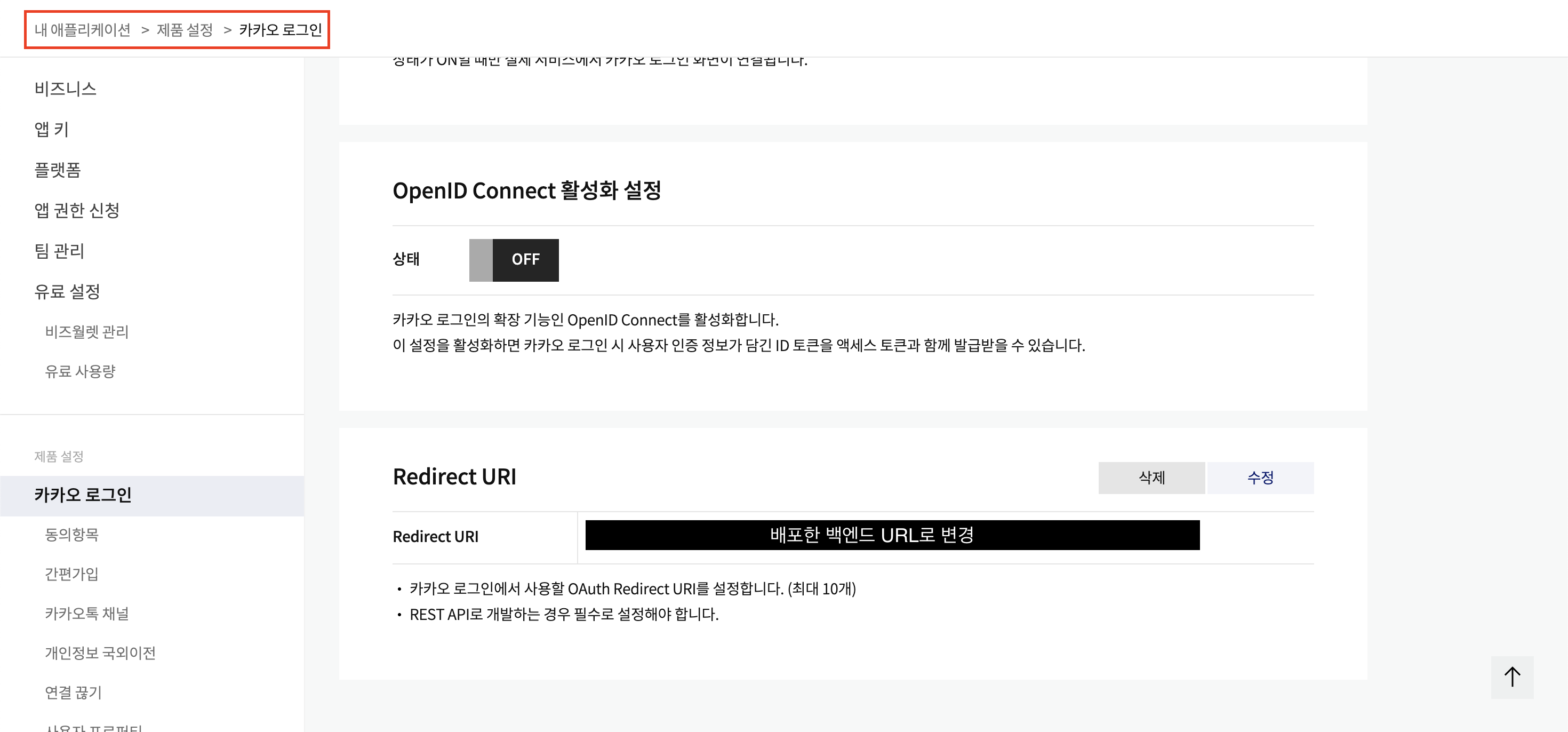
카카오 로그인 설정 변경

💥 BE 트러블 슈팅
CORS 에러 해결
- CORS 에러가 뜨는 경우 CORS 설정 또는 쿠키 옵션 확인 필요
app.use(
  cors({
    origin: process.env.FRONTEND_URL || "http://localhost:5173",
    credentials: true, // 쿠키 전송 위함
    methods: ["GET", "POST", "PUT", "DELETE"],
    allowedHeaders: ["Content-Type", "Authorization"],
  })
);- samesite: "none"으로 설정해서 크로스 도메인 요청 허용
export const cookieOptions = {
  httpOnly: true,
  maxAge: 1000 * 60 * 60, // 1시간
  secure: true, // HTTPS에서만 쿠키 전송
  sameSite: "none", // 크로스 도메인 요청 허용
  path: "/", // 모든 경로에서 쿠키 접근 가능
};
🪄 프론트엔드 배포
Organization의 프론트엔드 레포 Vercel 자동 배포 설정
- Vercel에서 GitHub 개인 레포를 배포할 때는 무료지만 Organization 레포를 배포할 때는 과금 발생 .. !
- 아래의 블로그 참고하여 해결
📍 간략하게 요약
1️⃣ Organization 프론트엔드 레포를 Fork
2️⃣ Fork한 레포를 Vercel에 배포
3️⃣ Organization 프론트엔드 레포 [Settings]에서 시크릿 변수 설정
4️⃣ GitHub Actions 설정
[Next.js] Vercel로 GitHub Organization 무료 배포하기 with github actions
vercel 에서 github organization의 팀 프로젝트를 배포하려고 했는데, 이 경우에는 유료인 team plan에서만 가능했다.(14일 무료체험은 가능…)최종 개발이 완료될 때까지 임시 방편으로 배포된 환경이 필
velog.io
https://jjang-j.tistory.com/93
[Github Action] 깃허브 Organization 레포지토리 vercel 자동 배포
시작하기 앞서...현재 프로젝트를 진행하고 있는데깃허브에서 Organization 레포지토리에서 작업을 하고 vercel 로 배포를 하려면 프로 계정을 사용해야 된다.Pro 계정 무료 체험 2주를 할 수 있지만
jjang-j.tistory.com
💥 FE 트러블 슈팅
Vercel 배포 후 새로고침 시, 404 뜨는 문제 해결
- 프론트엔드 폴더 root 경로에 vercel.json 파일 생성 후 내용 추가
{
  "rewrites": [{ "source": "/(.*)", "destination": "/index.html" }]
}
📍 배포 URL
https://blog-frontend-dusky-nu.vercel.app/
Vite + React
blog-frontend-dusky-nu.vercel.app
📍 GitHub 저장소
https://github.com/blog-practice-org/blog-frontend
GitHub - blog-practice-org/blog-frontend
Contribute to blog-practice-org/blog-frontend development by creating an account on GitHub.
github.com
https://github.com/blog-practice-org/blog-backend
GitHub - blog-practice-org/blog-backend
Contribute to blog-practice-org/blog-backend development by creating an account on GitHub.
github.com
'LG 유플러스 유레카 SW' 카테고리의 다른 글
| [최종 융합 프로젝트] 다챠 - 데이터 거래 플랫폼 (0) | 2025.08.23 |
|---|---|
| [종합 프로젝트] 요플랜 - 요금제 추천 서비스 (0) | 2025.08.23 |
| 시험 공부 링크 모음 (0) | 2025.02.05 |
| [LG 유플러스] 유레카 SW 2기 합격 후기 (프론트엔드) (0) | 2025.01.20 |